A shared workspace
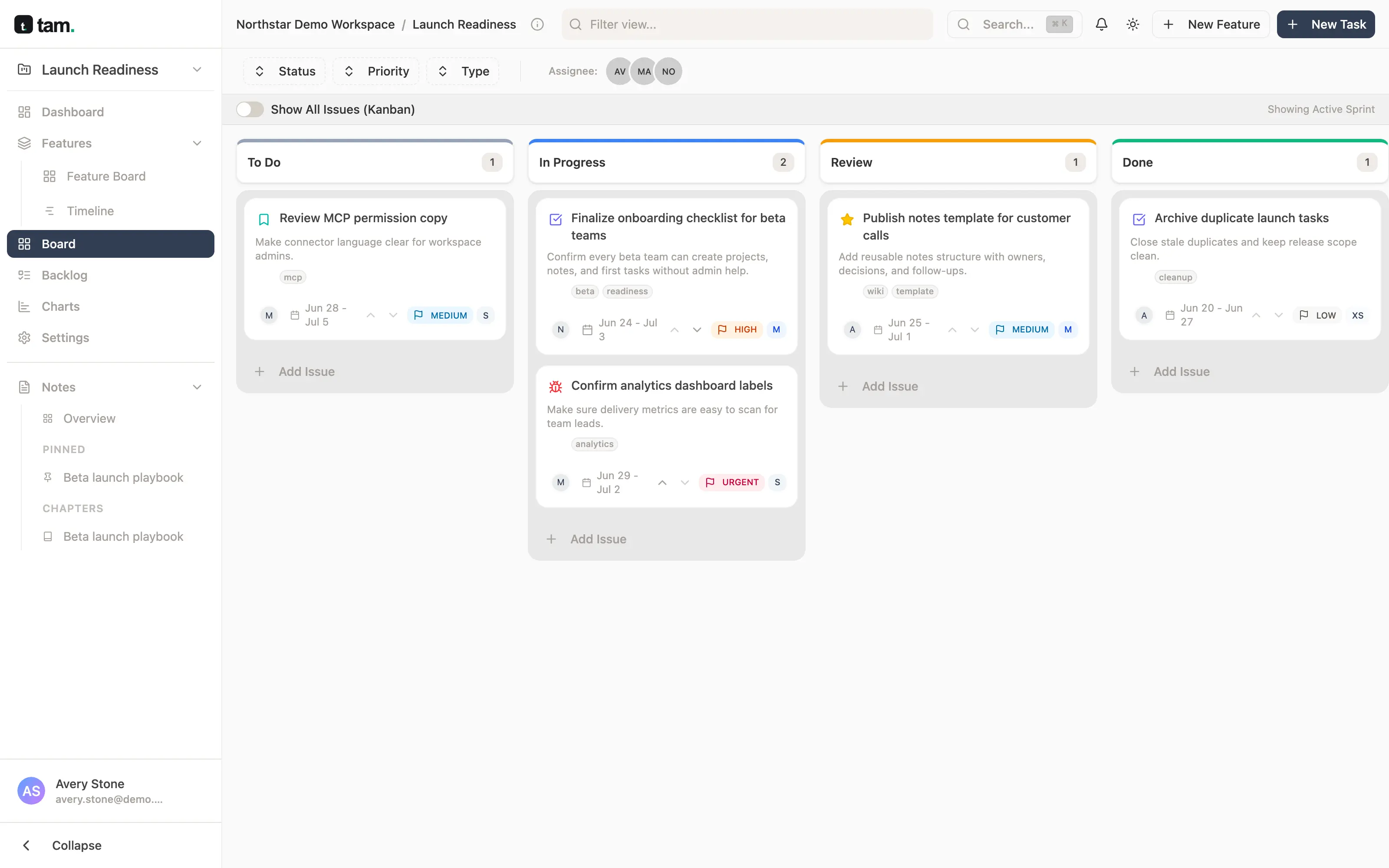
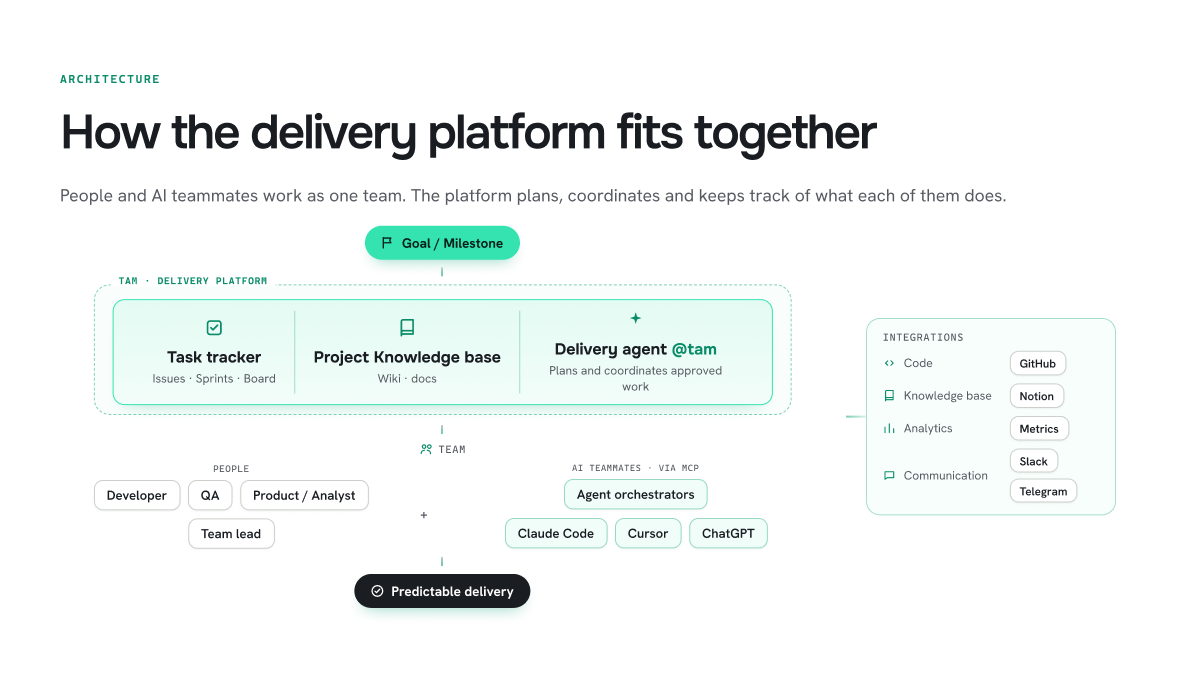
Tasks, sprints, boards and project docs in one place. People and agents read the same context and update the same tasks, so there is no separate “AI version” of the project to reconcile.
Product built with Kodable engineering
Coding agents write code in minutes. Planning, hand-offs, reviews and releases still run at human speed. tam puts people and agents on one plan and adds a delivery agent that keeps that plan moving.
Free workspace · @tam delivery agent in pilot
Why we built it
When a team adds coding agents, output grows faster than coordination. PRs pile up, tickets drift away from what is really happening, and a senior engineer ends up as the human router between agents, reviewers and stakeholders. Delivery tools were designed for people only — tam is designed for a team where some members are agents.
−30%
time to milestone — the goal tam is designed around.
Without trading away code quality: people still review and accept the work.
What tam is
Tasks, sprints, boards and project docs in one place. People and agents read the same context and update the same tasks, so there is no separate “AI version” of the project to reconcile.
Coding agents connect over MCP under their own service account. Everything they change is attributed to them and limited to what they were allowed to touch.
@tam takes a goal, drafts the plan, assigns work to people or agents, follows it up and brings a person in whenever a decision is needed.
First version ready · in pilot
From the user’s side
An illustrative release, told from the team’s point of view.
Team lead
Writes one line: “Release the new billing page by Friday.” @tam turns it into tasks with owners and an order.
Developer + Claude Code
Works in the terminal as usual. Commits and the PR attach to the task, and its status follows the code.
QA
Hits an edge case in checkout. A two-line note becomes a ticket with reproduction steps, linked to the PR that caused it.
@tam → Product owner
Sees the payments task has waited two days for review, nudges the reviewer, and asks the owner whether the CSV export can slip to the next release.
Whole team
Reviews what changed, with tasks, PRs and comments in one place, and decides what ships.
For every role
Stay in Claude Code, Codex or Cursor. The ticket keeps itself in sync with the work instead of waiting for a manual update.
Report a bug in plain words and get a complete ticket with steps and the right assignee, without hunting for who owns the area.
Turn a brief, notes or a call transcript into well-scoped tasks, and get pinged only for the decisions that are really yours.
Know what is moving and what is stuck from real commits and PRs, without a status meeting or chasing every agent yourself.
Inside the app
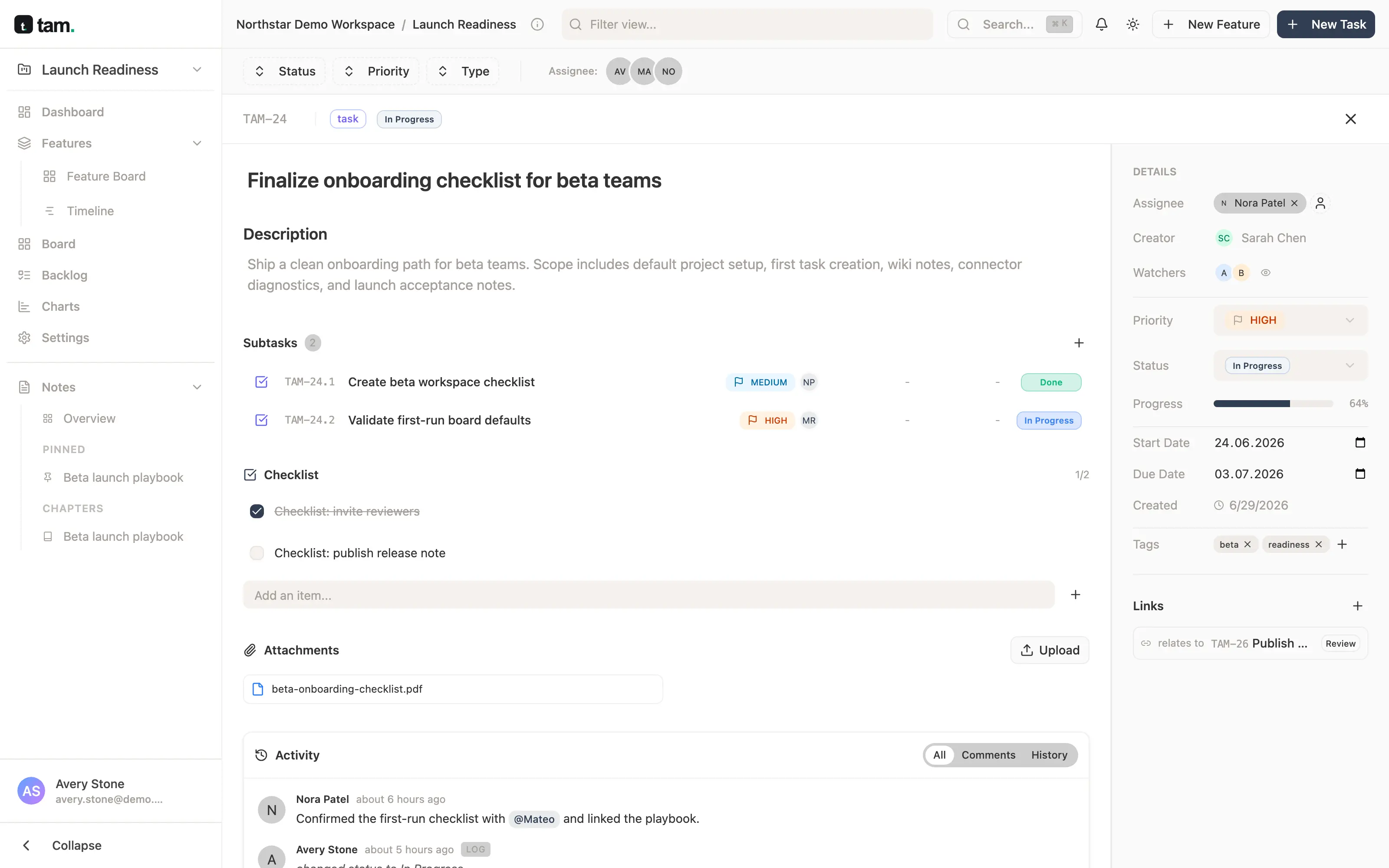
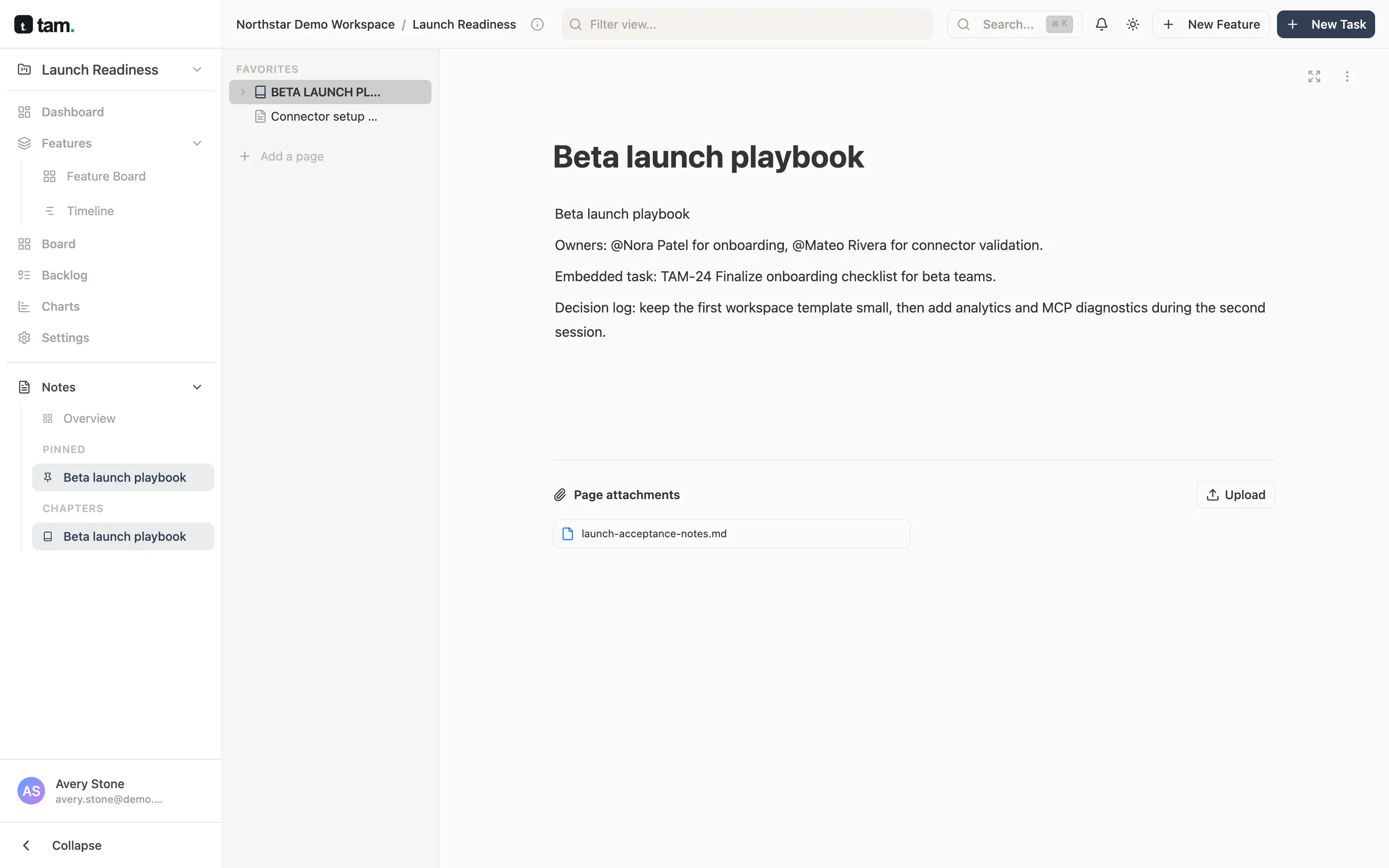
Scrum or Kanban, your own statuses and estimates, task details with subtasks and history, and project docs that agents can read too.
Control
An agent that can move tasks and edit docs needs an identity and boundaries. In tam those are part of the product, not a policy document.
Integrations
tam connects to AI clients over the Model Context Protocol, so your team keeps its tools. Setup steps are in the tam MCP guide.
Claude Code
Available
Codex
Available
Cursor
Available
GitHub
Available
ChatGPT
Under review
Claude
Under review
Next on the roadmap: Slack, Notion, Google Drive, Telegram, Miro and Figma.
Under the hood · Kodable’s part
Kodable engineers are part of tam’s core team, working across the web app, backend, MCP server and public site.
FAQ
It includes one, but tam is a software delivery platform: the tracker and docs are the shared ground, AI agents work on it directly, and the @tam delivery agent coordinates the work from a goal to a reviewed release.
No — engineers and coding agents such as Claude Code, Codex or Cursor do. @tam plans, assigns, follows up and keeps the work tied to the goal.
Claude Code, Codex, Cursor and GitHub are available. Official ChatGPT and Claude distributions are under review. Any MCP client can connect with its own scoped access.
Each agent has its own identity and only the permissions you grant. Its MCP actions are checked like a person’s actions in the UI, and access can be revoked at any time without losing history.
Open a free workspace on thetam.app and connect your coding agent. The @tam delivery agent is in pilot with selected teams.
Kodable engineers are part of tam’s core development team, working across the web app, backend, MCP server and public site.
Open a free tam workspace, connect your coding agent and see your next release planned and tracked in one place.